In the Coolset platform you can upload the following items in bulk using a csv upload:
Products,
Suppliers,
Order items
Origins.
Before you start
Each category has its own required columns and data types.
It’s important to use the exact column names and fill in the correct data types as shown in the template or the table provided below.
You can either:
Create your own CSV file following the required structure, or
Download a preformatted template directly from the platform.
Downloading the template
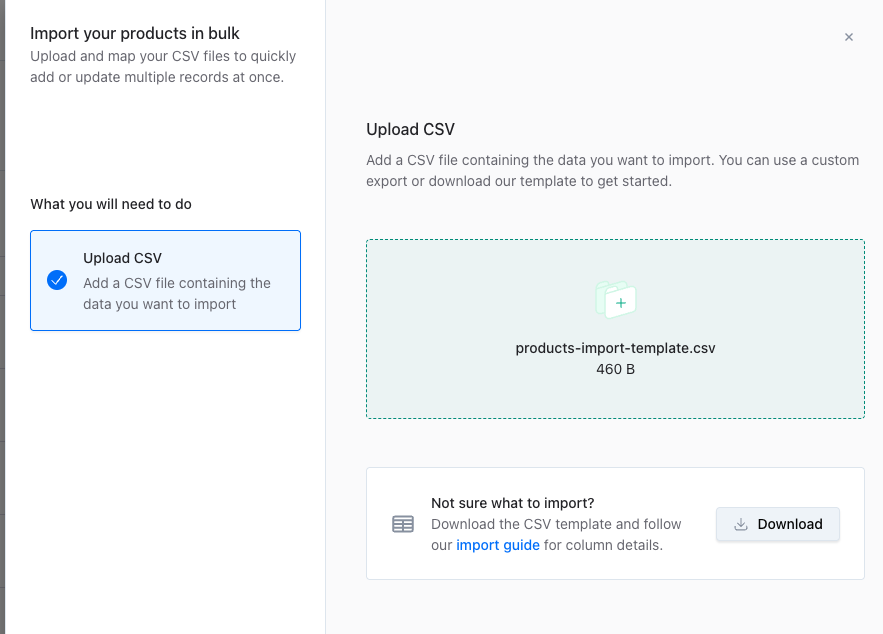
In the Coolset platform, select the category you’d like to upload.
Click “Import” in the top-right corner.
Download the provided CSV template for that category.
Opening the CSV template in Microsoft Excel
The template is a .csv file.
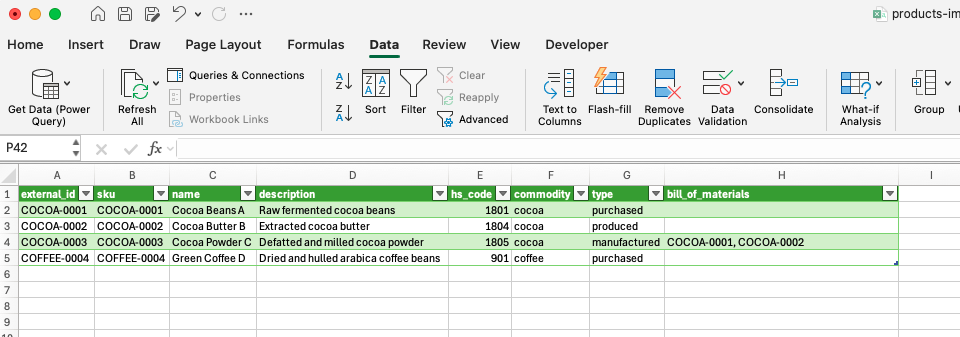
To open it with columns correctly displayed in Excel:
Open Microsoft Excel.
Go to the Data tab.
Click Get Data → From Text/CSV.
Select your downloaded template file and load the data.
Your file will now appear in a clear column structure.
Filling the template
When completing the template (or creating your own), follow the tables at the end of this page for guidance:
Column Name – The exact names to use for the columns in your file.
Data Type – The format of data expected in each column (e.g., text, number).
Description – Explains what information to provide.
Required – Indicates if the column must be filled in for a successful upload.
Uploading Your CSV File
Once your CSV file is ready:
Go to the item you want to upload to.
Click “Import” in the top-right corner.
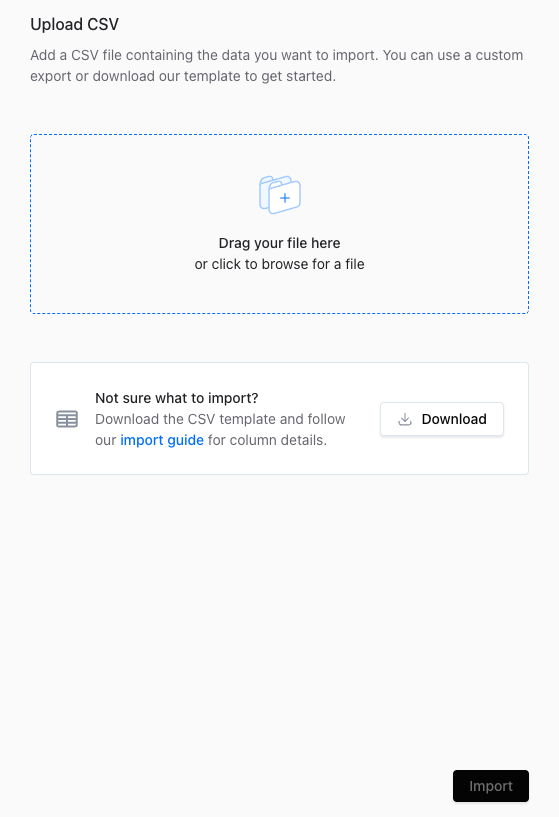
Drag and drop your file into the upload area, or click the box to browse your computer.
Once your file is selected, click “Import” to start the upload.
Required columns and descriptions
Products
Column name | Data type | Description | Required |
external_id | text | Unique identifier of the product from your external system (e.g., ERP, CRM). Used for linking data across systems. | TRUE |
name | text | The name of the product. | TRUE |
description | text | Additional descriptive information about the produc. | FALSE |
hs_code | A whole number (no decimals) | The Harmonized System (HS) code identifying the product for customs classification. | TRUE |
commodity | text | The commodity category the product falls under (e.g., soy, cocoa, palm oil, cattle, timber). | TRUE |
scientific_name | text | The scientific name of the species. Required only for wood-based products. | FALSE |
common_name | text | The common (non-scientific) name of the species. Required only for wood-based products. | FALSE |
sku | text | The stock keeping unit (SKU) of the product. | TRUE |
type | text | Indicates whether the product is produced, purchased, or manufactured. | TRUE |
bill_of_materials | text | Comma-separated list of external_ids of products that make up this product’s bill of materials (if manufactured). | FALSE |
Suppliers
Column name | Data type | Description | Required |
external_id | text | Unique identifier of the supplier from your external system (e.g., ERP, CRM). Used for linking data across systems. | FALSE |
company_name | text | The legal or registered name of the supplier. | TRUE |
description | text | Additional descriptive information about the supplier (e.g., size, specialization). | FALSE |
country_code | text (max 2 characters) | ISO 3166-1 alpha-2 country code where the supplier is based (e.g., BR, CG). | TRUE |
is_self_managed | TRUE or FALSE (boolean) | Whether the supplier manages their own data in the system (false = supplier-managed, true = managed by you). | FALSE |
contact_name | text | The name of the primary contact person at the supplier. Leave empty if self managing | FALSE |
contact_email | text | Email address of the supplier’s contact person. Used for invitations, so accuracy is critical. Leave empty if self managing | FALSE |
Order items
Column name | Data type | Description | Required |
external_id | text | Unique identifier of the order item from your external system (e.g., ERP, CRM). Used for linking data across systems. | FALSE |
order_id | text | Identifier of the associated order. All items belonging to the same order share this ID. | TRUE |
order_created_at | date | The date the order was created (format: DD-MM-YYYY). | TRUE |
arrival_at | date | The date the order is expected to arrive (format: DD-MM-YYYY). | FALSE |
value_chain_external_id | text | External ID of the supplier (matching the supplier’s external_id from the supplier import). | TRUE |
buyer_product_external_id | text | External ID of the product (matching the product’s external_id from the product import). | TRUE |
volume | A number with decimals | Quantity of product included in the order item. | TRUE |
unit | text (max 3 characters) | Measurement unit of the product (e.g., kg, m³, t). | TRUE |
Origins
Column name | Data type | Description | Required |
external_id | text | Unique identifier from your external system (e.g., ERP, CRM). Used for linking data across systems. | FALSE |
name | text | Human-readable name of the area or origin | TRUE |
description | text | Optional text describing the origin | FALSE |
country_code | text (max 2 characters) | ISO 3166-1 alpha-2 code (e.g., NL, FR, US) | TRUE |
coordinates | text (GeoJSON format) | Array of coordinates in [longitude, latitude] order; can represent a point or polygon boundary. | TRUE |