How to start your EcoVadis survey in Coolset
Last updated: October 16, 2025
Step 1:
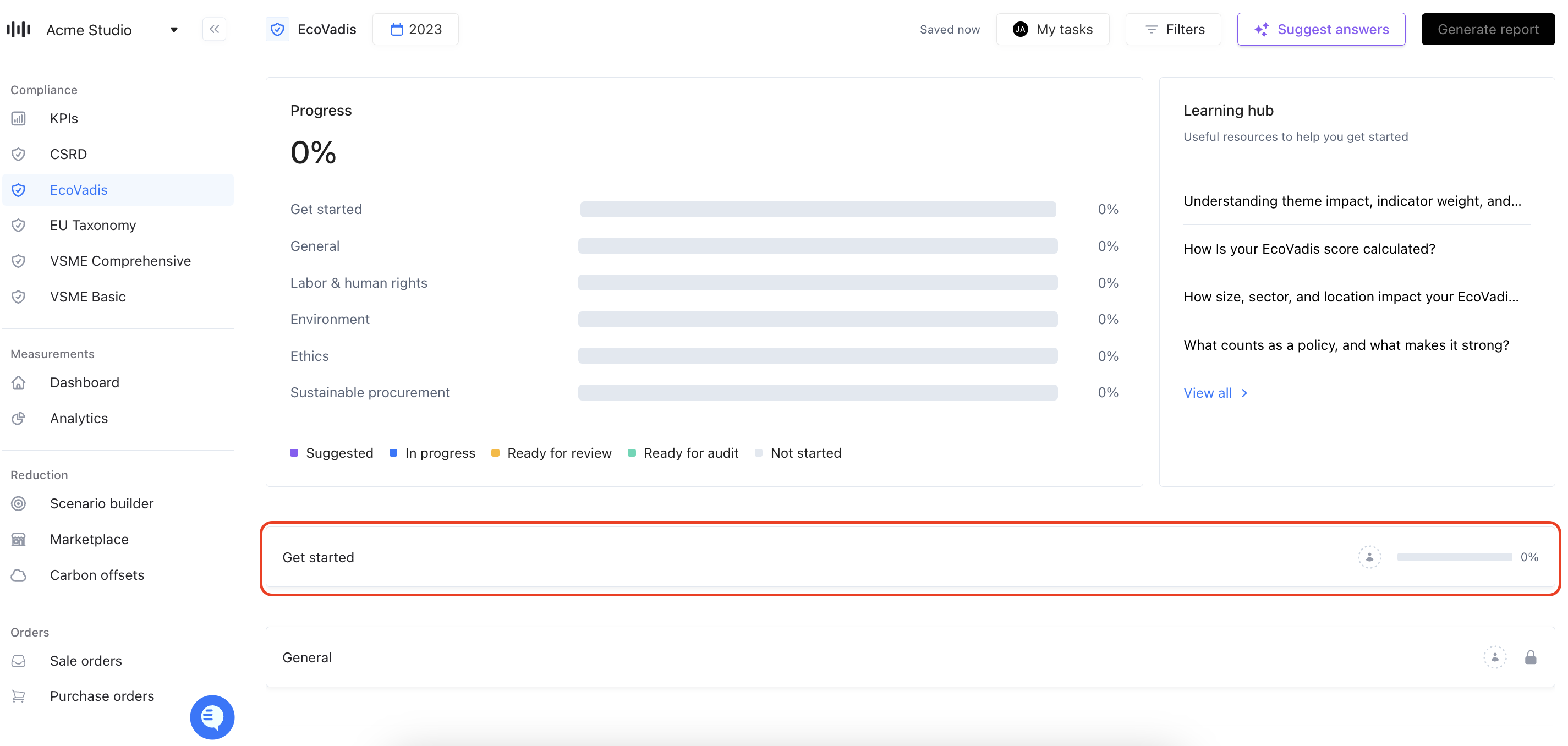
Open the EcoVadis survey in Coolset and click on the 'get started' tab.
Step 2:
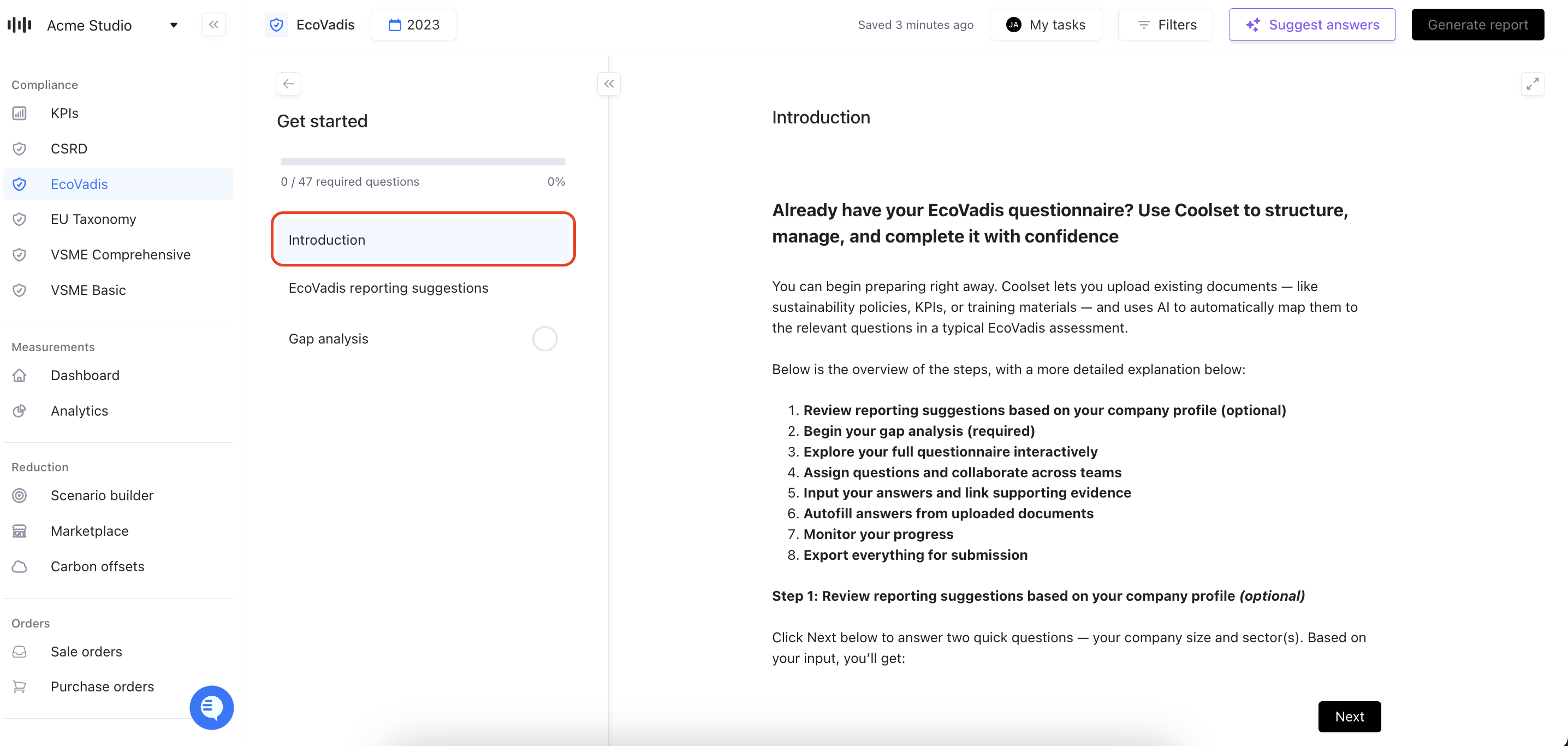
Answer the introduction question: It asks if you have already received the EcoVadis survey. Here you also have access to an in-depth introduction on the 'get started' page you're in.
Step 3:
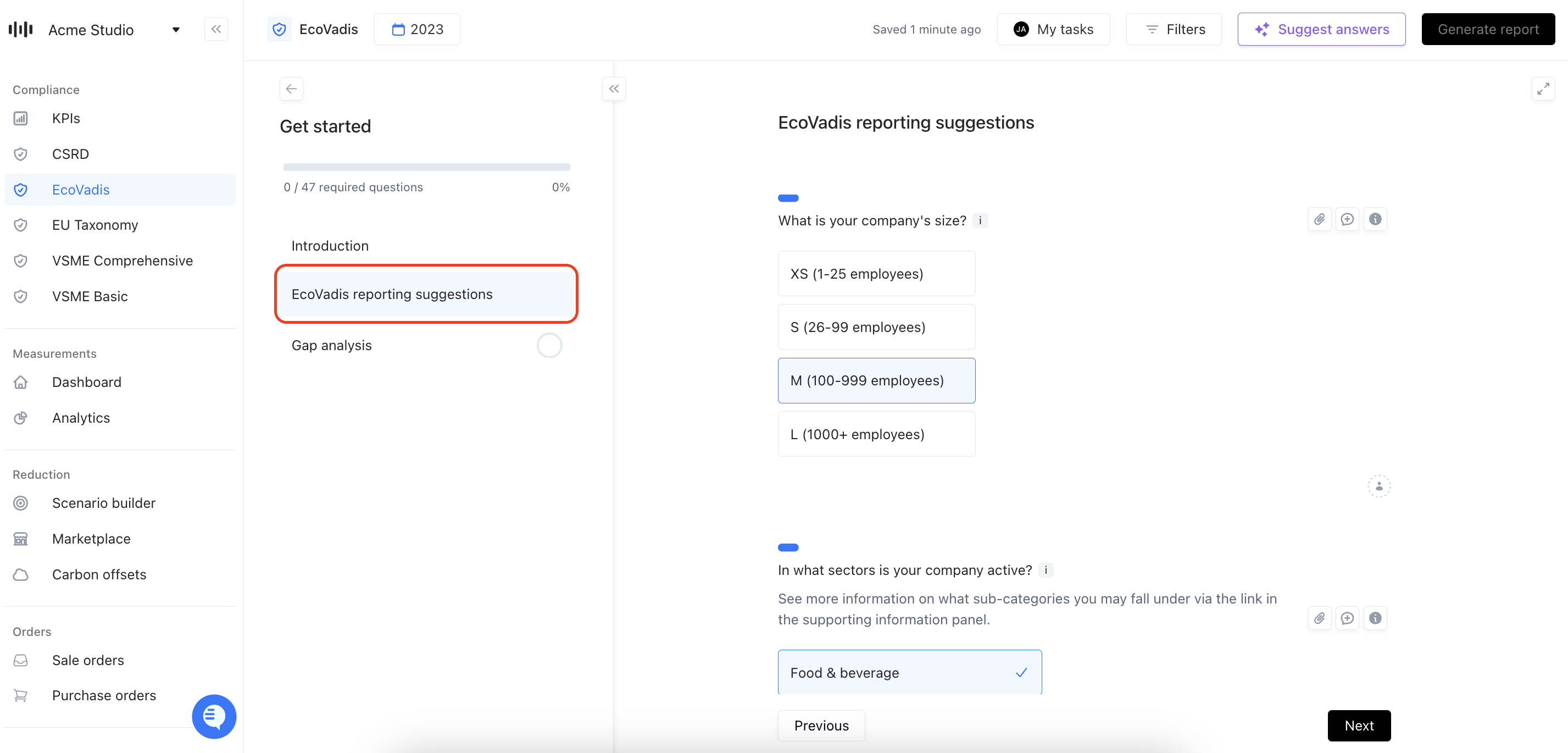
Go to the EcoVadis reporting suggestions and enter 1. your company size, and 2. your sector. The platform will provide automated reporting advice.
Step 4:
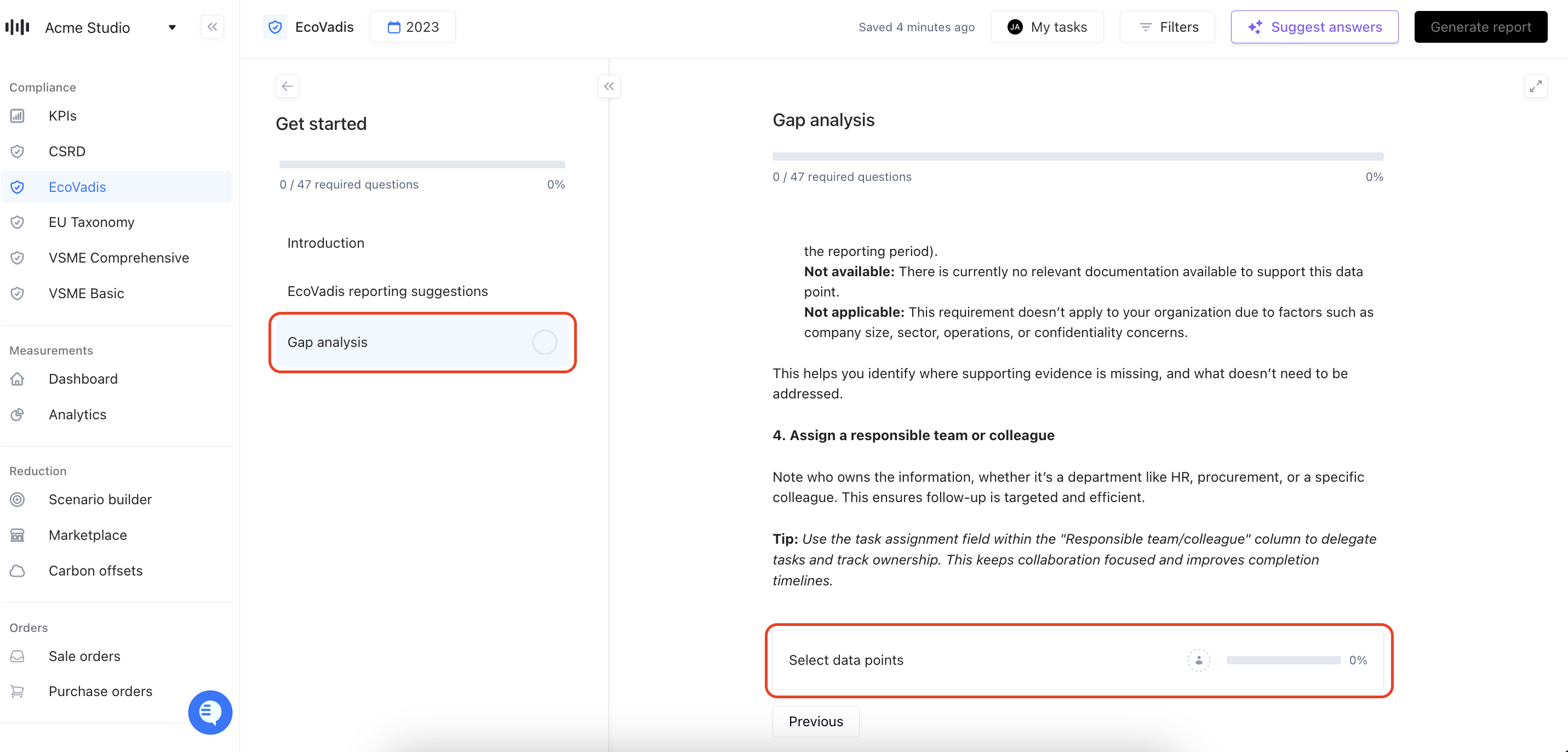
Start the gap analysis. Here you will select all the questions that you have to report on as per the EcoVadis survey you may have already received.
Step 5:
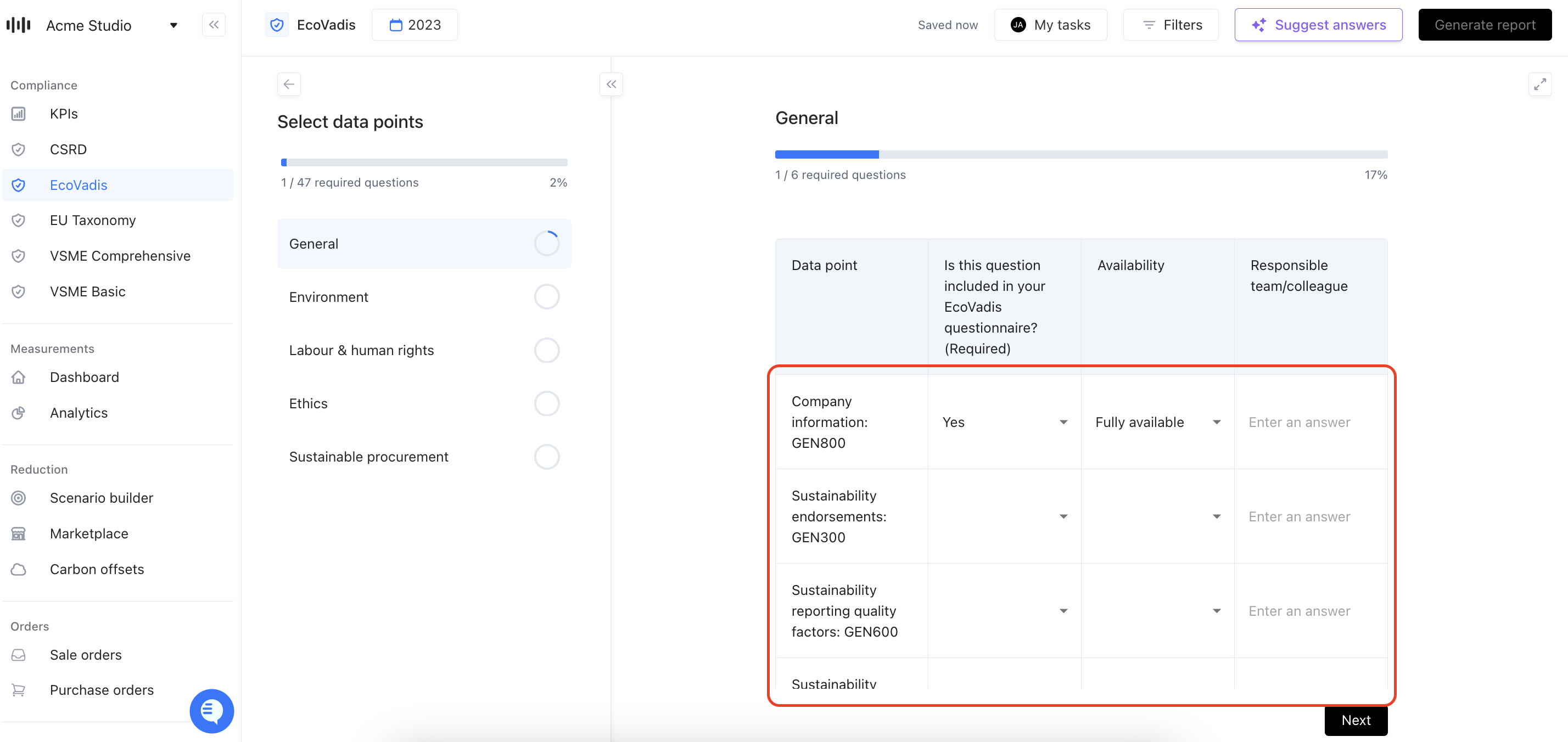
You’re now in the EcoVadis module, where the gap analysis is your starting point. It’s designed to activate only the questions relevant to your company, based on your size, sector, and location.
Each section of the assessment (like Environment, Ethics, or Sustainable Procurement) is unlocked by answering yes or no for all data points listed here. Once unlocked, all related questions become visible, so you can start adding answers and uploading documentation where it matters.
Step 6:
Go back to the main dashboard. You will now see that the sections have been unlocked and that the questions on which you reported 'yes' in the gap analysis will appear.
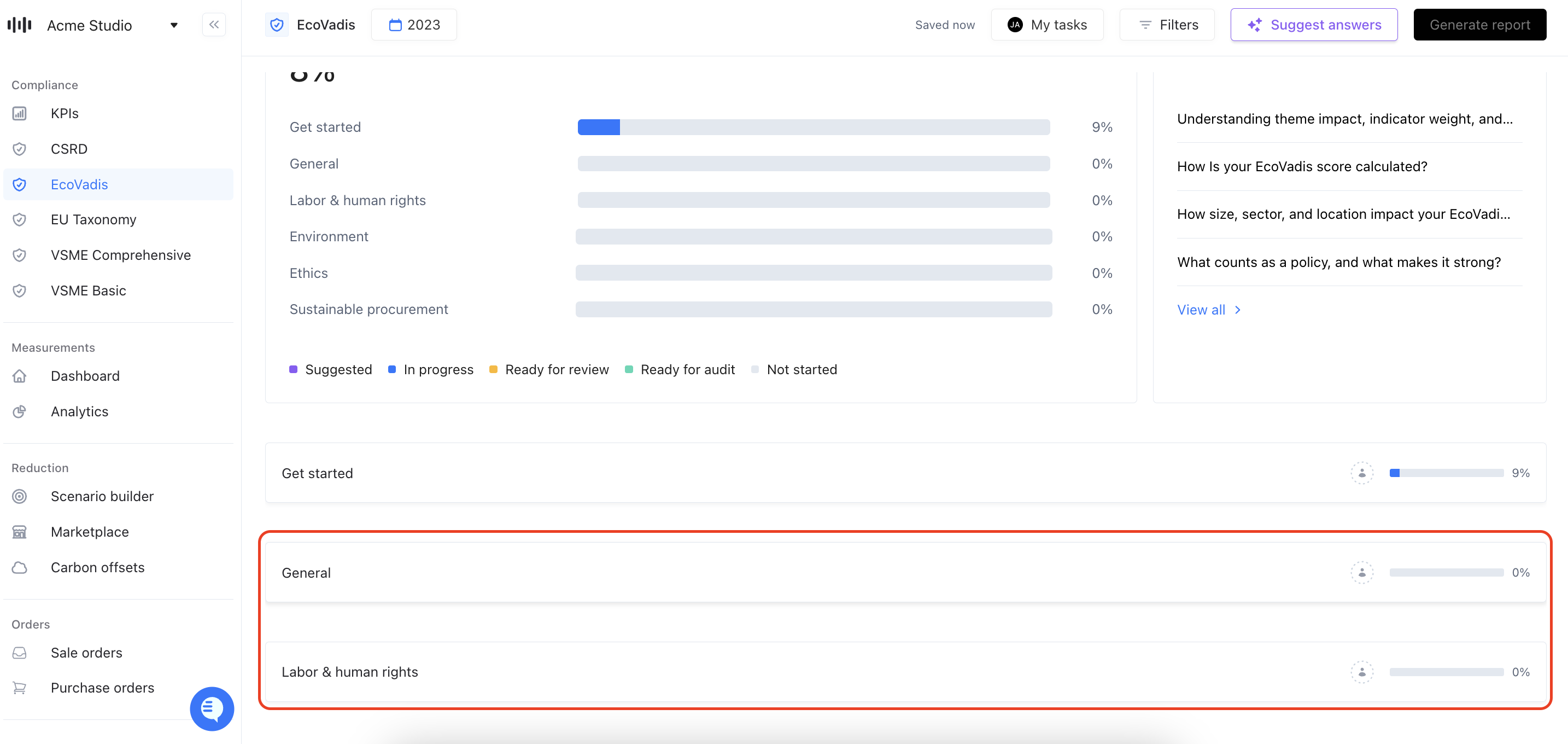
You can now disclose on the relevant EcoVadis questions within your Coolset platform. Keep in mind that you can click the open assistant button to the right of every selected question. If relevant, you will see supporting information and suggested answers here.
Have any questions? Please reach out to Rutger@coolset.com or hit the blue circle in the bottom of the Coolset screen and chat with us.