How to add lots and harvests?
Last updated: April 15, 2026
In EUDR, we use lots and harvests to ensure complete traceability of your products—from origin to final product.
What are harvests?
A harvest is a batch of a produced product collected from a specific origin on a specific date. A single origin can have multiple harvests over time. Each product must be linked to its corresponding harvest.
What Are Lots?
A lot is a batch of a manufactured product — a product you create using other purchased products. To trace your final product, you need to record which lot of ingredients or components was used.
Where do I add lots and harvests?
You can add both from the "Lots" tab in your dashboard.
Note: You’ll only see the Lots tab after you’ve added at least one produced or manufactured product.
How to add a lot or harvest
The process for adding lots and harvests is the same:
1. Go to the lots tab
Navigate to the "Lots" tab to see your existing lots and harvests.
2. Click “Add”
In the top-right corner, click "Add".
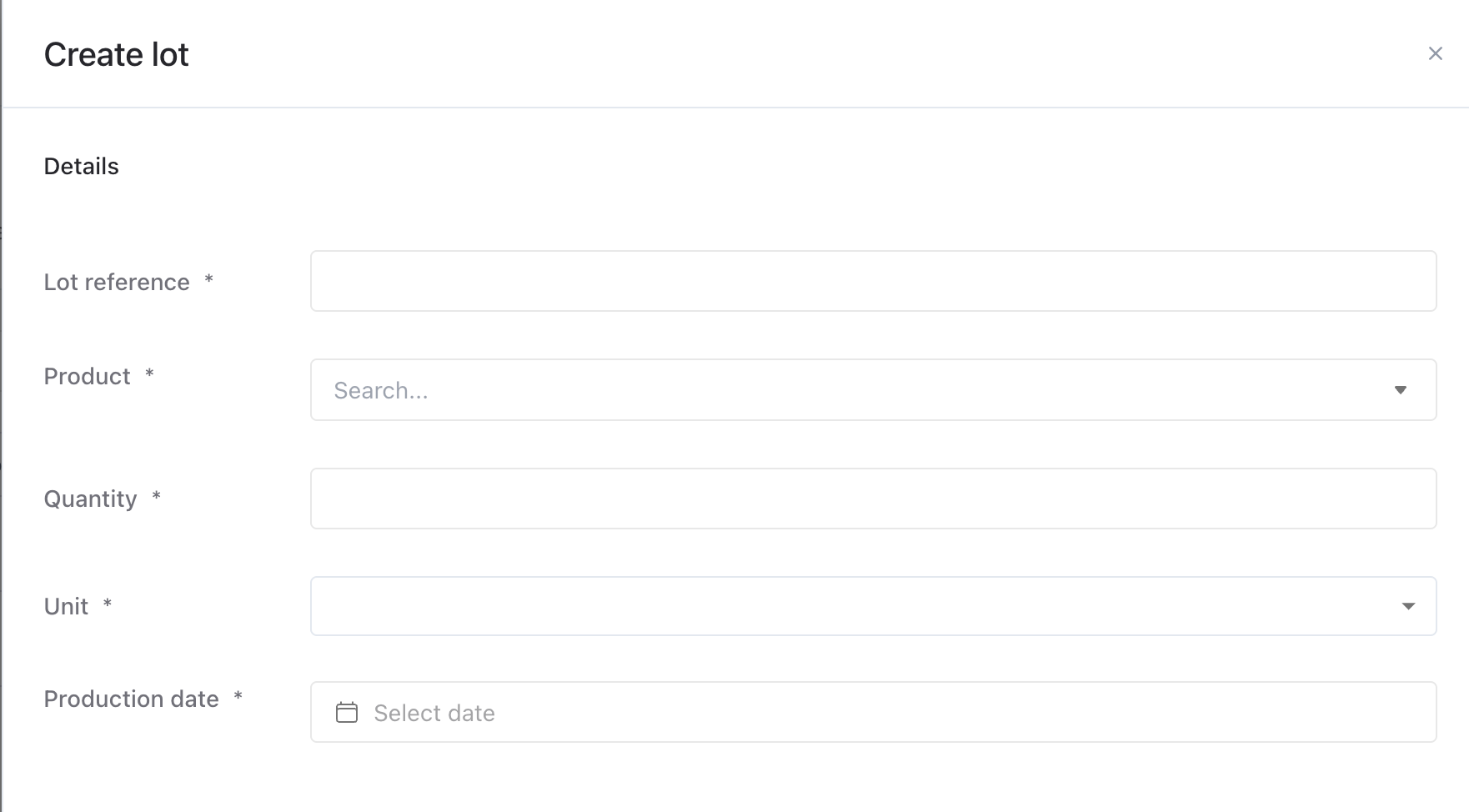
A side panel will open. Fill in the required details:
Lot reference (e.g., a name or code to identify the batch)
Product (the one linked to this lot or harvest)
Quantity
Production/harvest date
Documents (optional): Upload relevant files or select from your document library.
Click "Save" to create your lot or harvest.
3. Add the origin or source
Once saved, you’ll need to add where the product came from:
Open the lot/harvest and click "Edit".
Scroll down to the origin section.
Click "Add" and select the correct location:
Choose origin for produced products.
Choose source for manufactured products.
Click "Save" again at the bottom of the page.
FAQs
What’s the difference between a lot and a harvest? A harvest tracks a product gathered from a specific origin on a specific day. A lot tracks a batch of a manufactured product made from other products (usually bought in batches).
Why can’t I see the Lots tab? You need to first add at least one produced or manufactured product. Once that’s done, the Lots tab will appear in your overview.
Can I add documents to a lot or harvest? Yes! When creating or editing a lot or harvest, you can upload new documents or select from your existing document library.
Can I edit a lot or harvest after I’ve saved it? Yes, you can edit the entry at any time. Simply open the lot/harvest, click Edit, make your changes, and then click Save.