How to upload and manage documents in the Coolset platform?
Last updated: September 29, 2026
In the Coolset platform, you can use our data library. This is a centralized hub where users can upload, organize, and manage key documents used across multiple surveys and compliance modules.
In the Data Library, you can:
Create and manage documents
Upload files in various formats (e.g., XBRL, .csv, PDF)
Add context to each document with a name, description, and owner
Edit or delete documents as needed
Documents can be uploaded in bulk
Access a centralized document hub
View all uploaded documents in a single, searchable interface
Quickly find documents by name
Documents can be stored in folders
Track where documents are used
See which questions in your surveys reference each document
Click to navigate directly to the relevant questions
Use your documents for auto-filling the platform
When a document is ready to be used for the AI-autofill feature, it will show "Added to knowledge" in the AI knowledge column
📄 How to use Smart Autofills to speed up ESG reporting (beta version)
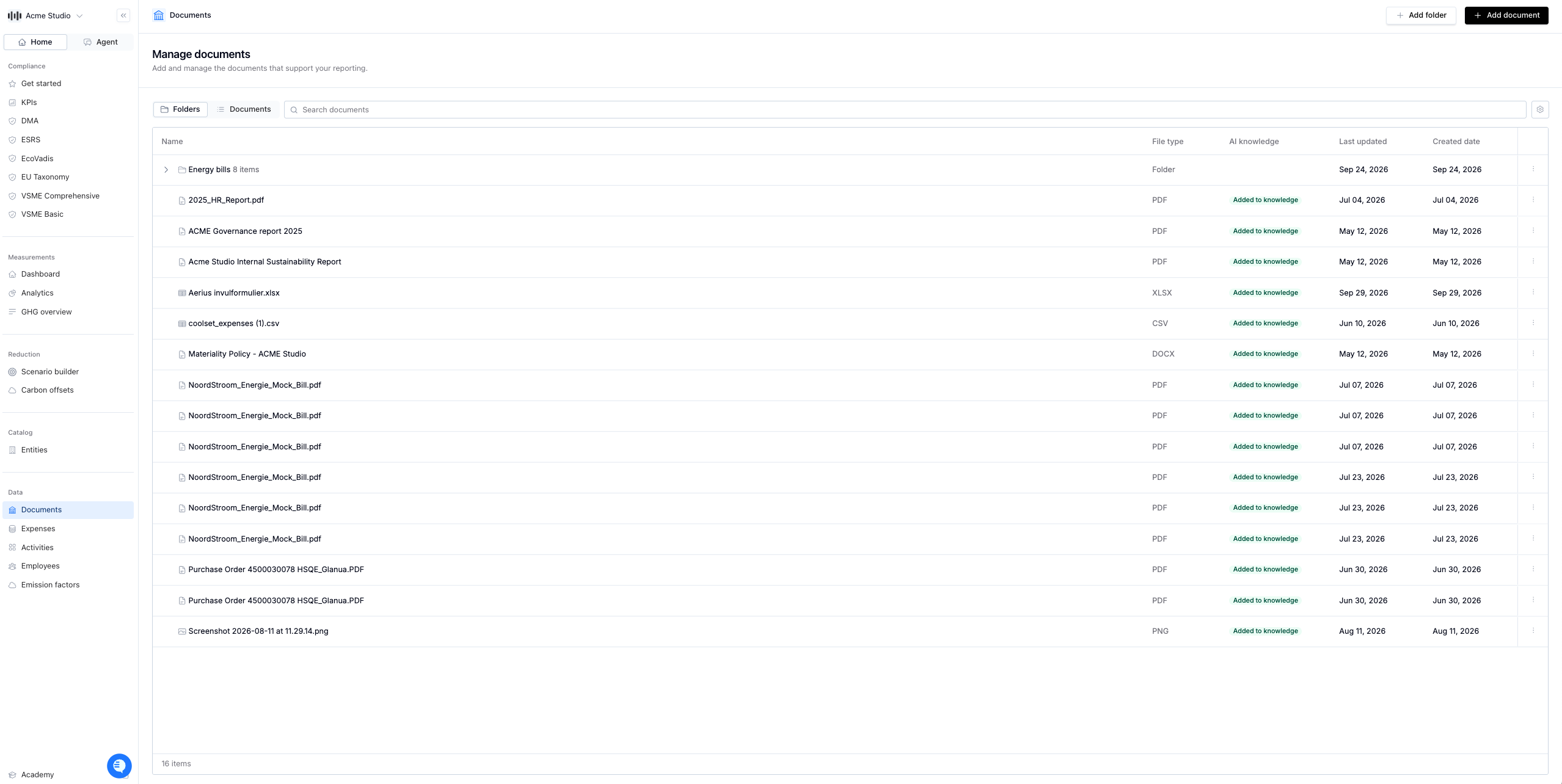
You’ll find the data library in the main navigation of your Coolset workspace. Start by uploading a file and assigning it a name and owner. From there, your documents will be accessible across all enabled compliance modules.