How to track KPIs in the Coolset platform
Last updated: November 12, 2025
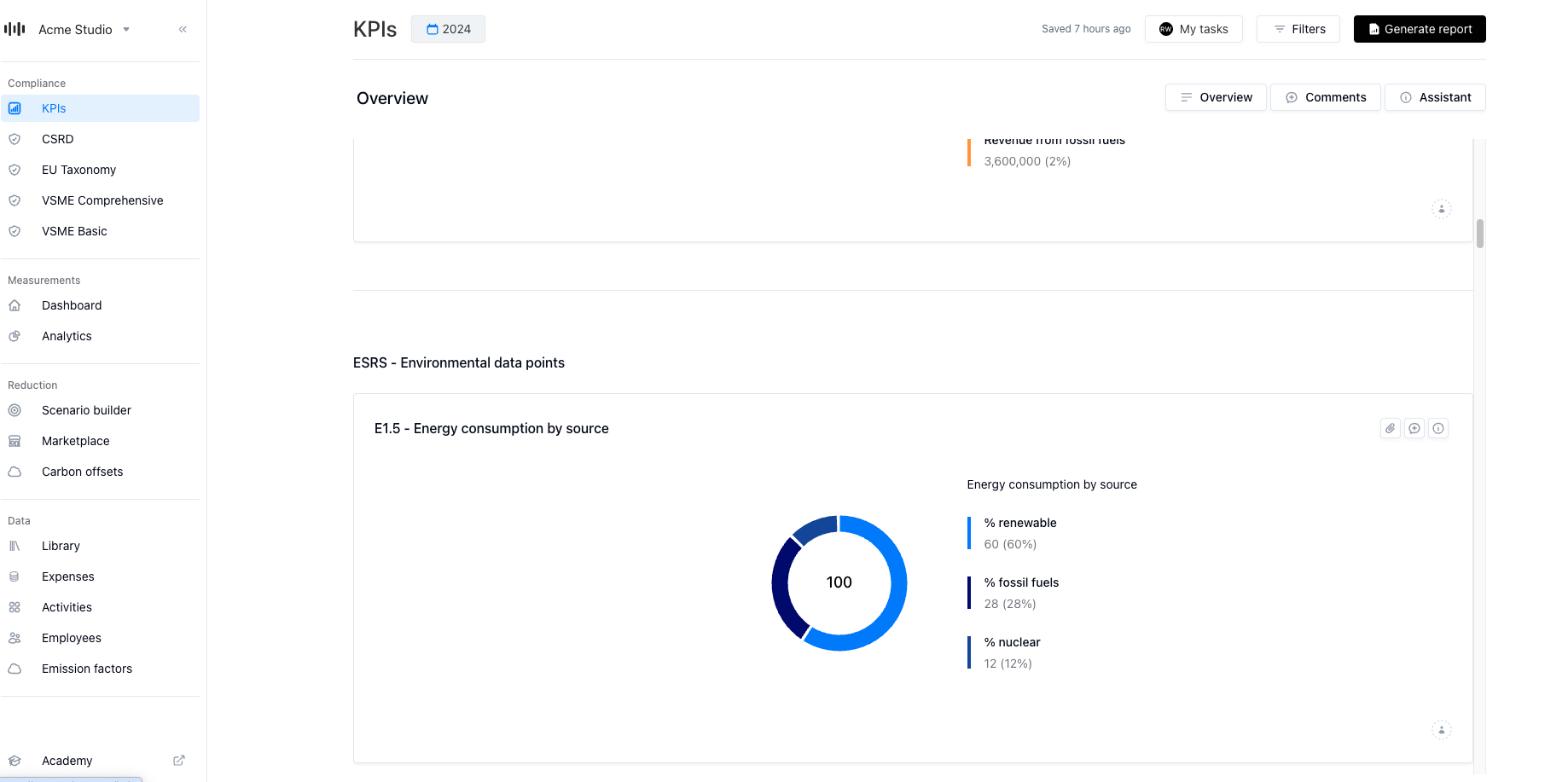
In our KPI dasboard you can get a clear, centralized view of your ESG data. No more digging through surveys or modules. It’s designed to help you make smarter decisions, faster.
In the dashboard you can:
See your ESG performance at a glance
Instantly view key metrics like total Scope 1–3 emissions, energy consumption, gender pay gap, percentage of employees on temporary contracts, and board diversity. All visualized in one place.
Switch between frameworks to tailor the dashboard to your needs
Toggle between CSRD and VSME, or a combined view to show only the KPIs relevant to your reporting obligations or internal priorities.
Fill in data directly for easy adjustments
No need to jump between modules . Add or update data points directly within the dashboard, making collaboration and iteration smoother across teams.
Drill down to the source
Every chart connects back to its underlying question in the reporting module, so you can validate, trace, or edit data with full context and compliance confidence.
How to get started
You’ll find the new KPI Dashboards in the main sidebar of your Coolset workspace. Simply open the module, select your preferred framework view (CSRD, VSME, or Combined), and start exploring your ESG data.
You can enter missing data, adjust targets, or download summaries for internal presentations and sustainability reports.